
Still using a Notes app for passwords? Your Aussie business is a disaster waiting to happen. Learn why professional password managers are now essential.
Personally, I reckon most Aussie business owners are sleeping on a landmine because they haven't moved to professional password managers.
I recently spoke with a practice manager who realised their entire firm's security lived in a single, unencrypted Notes app folder. One disgruntled employee or one lost phone and the whole thing goes bust. It is a terrifying way to run a ship. Yet it happens every single day in offices across the country.
You probably know deep down that your team is reusing the same weak variations of their dog's name across twenty different accounts. It is a massive headache that keeps you up at night. Especially with the 72-hour breach notification rules proposed for 2026. You need a system that works as hard as you do.
I will show you why your current habits are a liability and how to lock down your business for the future. We are going to bin the dodgy spreadsheets and replace them with a setup that actually protects your reputation. No corporate fluff. Just a clear path to making your business a hard target.
Key Takeaways
- Stop relying on the "she'll be right" approach. Shared spreadsheets and phone notes are a liability that will eventually cost you your reputation.
- See why I reckon professional password managers are now a mandatory requirement for securing cyber insurance and staying compliant in 2026.
- Get a blunt comparison of the top tools for Aussie teams to help you choose between simple ease of use and technical transparency.
- Discover a rollout strategy that avoids staff drama by letting your office "techies" break the system before the rest of the team starts.
- Learn why simply buying software isn't enough. You need a system of oversight to ensure staff don't find dangerous workarounds.
Why your current password "system" is a bloody nightmare
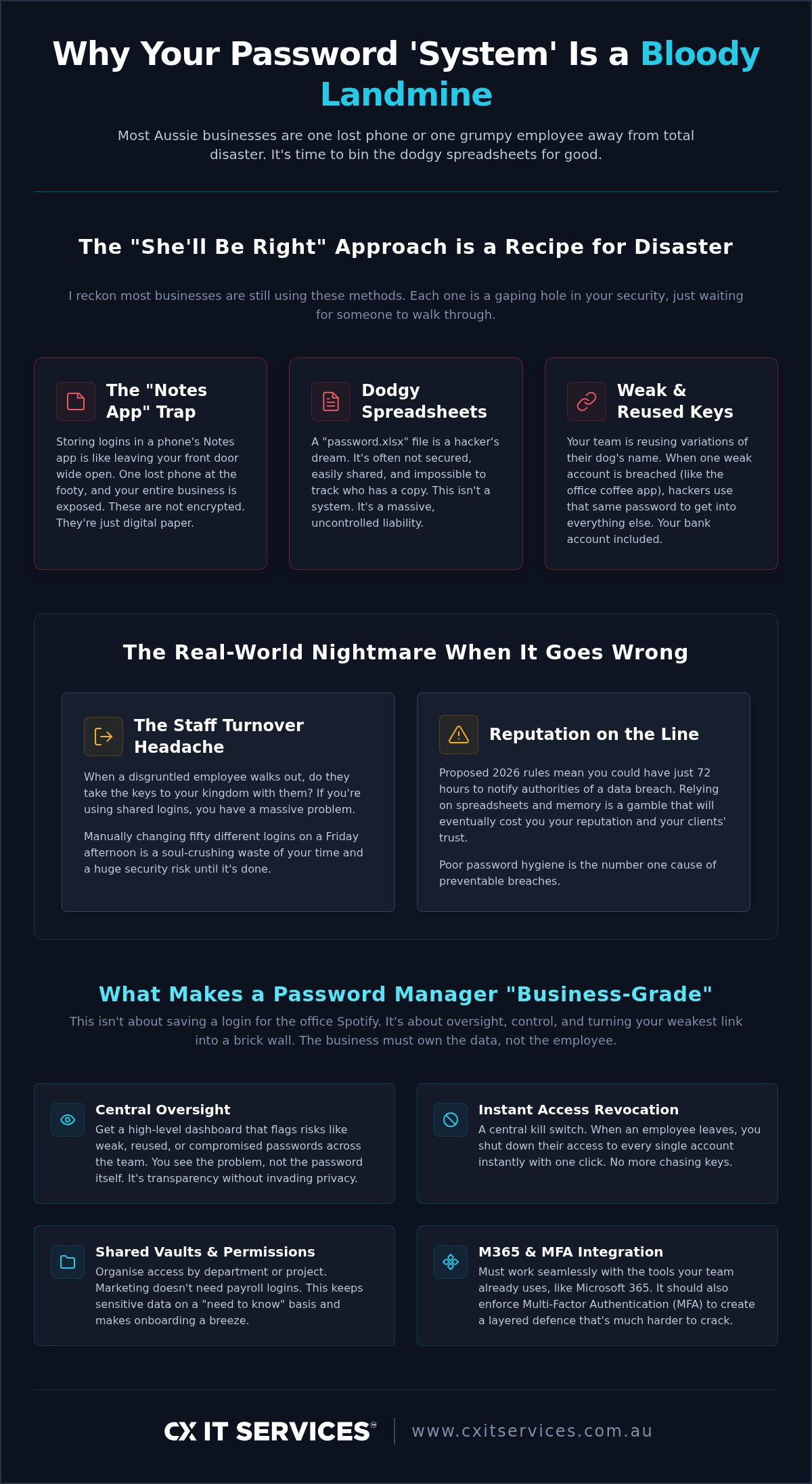
I reckon most Aussie businesses are still using the "she’ll be right" approach to security. It is a dangerous gamble that usually ends in tears. Staff writing passwords on Post-it notes or hiding them in a "secure" Excel sheet is not a system. It is a recipe for disaster.
Reusing the same password for the company bank account and the office coffee machine app is a major liability. If that coffee app has a weak spot, your whole business is exposed. Hackers don't always go through the front door. They find the easiest way in and then move sideways through your network.
So, how do we fix this? What is a password manager? At its core, it is an encrypted vault that generates and stores unique, complex keys for every single account. It removes the need for your staff to remember anything more than one master phrase. It turns a weak link into a brick wall.
The "Notes App" trap
I have seen it a hundred times. A staff member loses their phone at the footy or leaves it in a cab. Suddenly, your entire business is exposed. Notes apps are not encrypted. They are just digital paper. If someone gets past the phone's lock screen, they have the keys to your kingdom.
Unencrypted storage is the number one cause of preventable breaches. It is like leaving your front door wide open with a sign pointing to the safe. Professional password managers ensure that even if a device is lost, the data inside remains scrambled and useless to anyone without the proper credentials.
The nightmare of staff turnover
This is where the "she'll be right" attitude really bites. What happens when a disgruntled employee walks out the door with your passwords? If you are using a shared spreadsheet or a common login, you have a massive problem on your hands.
Changing every single login manually is a soul-crushing waste of your time. You have better things to do than reset fifty different accounts on a Friday afternoon. You need a central kill switch. When you use business-grade software, you get one-click revocation. You can shut down a former employee's access instantly.
It is about maintaining oversight and ownership. Our cyber security team often finds that businesses lose track of who has access to what. A managed system puts you back in the driver's seat. No more chasing keys. No more wondering who still has the login for the ATO or the company socials. Using professional password managers means you own the data, not the person sitting at the desk.
What makes a password manager "business-grade" in 2026
Business-grade isn't just about saving a login for the office Spotify. It is about oversight. In a professional setting, the business must own the data, not the individual employee. Personally, I reckon if a staff member walks out the door and you don't have absolute control over their vault, you never really had security. You had a pinky-promise.
True oversight means transparency without invading privacy. You need to be able to see who is using weak, reused, or compromised passwords across your team. You don't need to see the passwords themselves. That would be a massive breach of trust. But you do need a high-level dashboard that flags risks so you can fix them before they turn into a headline. This approach follows the latest Australian government recommendations for protecting corporate data.
Integration is a non-negotiable factor. For the vast majority of Aussie firms, Microsoft 365 is the engine room. Your chosen password managers must integrate with it seamlessly. If your team has to log into five different things just to start their day, they will get frustrated. Frustrated staff find workarounds. Workarounds lead straight back to the "Notes app" trap we discussed earlier.
Shared vaults and permission levels
Marketing doesn’t need access to the payroll logins. Obviously. Shared vaults allow you to organise access by department, project, or seniority. It makes onboarding new staff a breeze because you aren't hunting for old passwords. You just add them to a vault and they have exactly what they need. Nothing more. Nothing less. It keeps your sensitive data on a "need to know" basis and prevents a single compromised account from exposing the whole company.
Single Sign-On and MFA integration
Modern security tools shouldn't work in silos. Multi-factor authentication (MFA) is the absolute gold standard for 2026. You cannot afford to skip it. A business-grade password manager integrates with your MFA provider to create a layered defence that is much harder to crack. If you want this done right without the technical headache, Managed IT Support is the best way to handle the rollout. We make sure the "Safe Pair of Hands" manages the complexity while you focus on your actual job.
If you are ready to move past the spreadsheet era and lock down your credentials, you can apply to work with us today.
Comparing the top contenders for Aussie teams
I’ve trialled plenty of password managers over the years. When you have a team of 10 or more, you aren't just looking for a digital vault. You are looking for an administrative console that doesn't make you want to put your head through a wall. You need something that balances iron-clad security with a user interface that won't cause a staff mutiny.
Most Aussie firms I work with end up choosing between three main players. Each has a different philosophy. Each fits a different type of business culture. I’ll break down which one actually fits a team that needs to stay productive while staying safe.
1Password: The crowd favourite
1Password is the heavy hitter for ease of use. The interface is clean and intuitive. Your staff won’t moan about using it because it doesn’t get in their way. It just works. One of the best features for business owners is the inclusion of family plans for every employee. This is a brilliant move for staff buy-in. If they use it to manage their personal lives, they stop bringing bad habits like "Password123" into your office.
Their zero-knowledge architecture is a prerequisite for the 2026 landscape. It ensures that even if 1Password itself is compromised, your data remains an unreadable mess of encryption that nobody can touch. It provides a level of peace of mind that is hard to beat.
Bitwarden: The budget-conscious powerhouse
Bitwarden is the pick for those who want open-source transparency. It is a powerhouse that doesn't skimp on the heavy lifting. Open-source means the code is constantly audited by independent experts all over the world. There is nowhere for security flaws to hide. While the free tier is famous, the Enterprise tier at $6 USD per user per month is where the real value lives for a growing business. It is a great fit if your team has a bit more technical "know-how" and prefers transparency over a flashy coat of paint.
Keeper: When security is the only priority
Keeper is a solid choice for high-compliance industries like finance or legal. It is built for when security and auditing are the only priorities that matter. You get granular controls that allow you to lock things down to a ridiculous degree. You can see exactly who accessed which record and when they did it. It is a favourite for government and high-security firms because it prioritises deep auditing over aesthetics. Check out our Cyber Security page for more on how this fits into your broader compliance and insurance requirements.
The rollout: How to get your team on board without the drama
Buying the software is the easy part. Getting your team to actually use it is where most Aussie business owners come unstuck. You can’t just dump a new tool on their laps and hope for the best. That is how you end up with staff finding workarounds or simply ignoring the system entirely.
I always recommend starting with a pilot group. Pick the "techies" in your office. Get them to break the system first. They will find the friction points and help you smooth them out before you roll it out to the whole firm. It builds internal champions who can help their less tech-savvy colleagues when things get tricky. Not alone. Together.
Set a hard deadline. Give everyone two weeks to get comfortable. After that, the old "Excel sheet" method is officially banned. Clear boundaries prevent the transition from dragging on for months and ensure your security posture actually improves.
Training should focus on the "what's in it for me" factor. Don't just lecture them about the risks of data breaches. Show them how professional password managers save them five minutes every morning because they aren't hunting for logins. Show them how the mobile app makes working from a site visit or a client's office effortless. Efficiency is the best hook for adoption.
Setting the master password
This is the one key to the kingdom. It has to be strong. I reckon a long phrase is much better than a complex string of nonsense symbols that nobody can remember. Think of a sentence or a series of random words that only you would know. It is easier to type and much harder for a computer to crack.
Tell your staff never to write this one down. Ever. Not on a Post-it note. Not in a desk drawer. If they lose the master password, they lose access. It is the one part of the system where even a "Safe Pair of Hands" cannot bail them out without significant hassle. Responsibility starts at the top.
Managing the transition
Importing old passwords is the first hurdle. Most password managers make this easy with browser extensions. But don't just import everything blindly. This is the perfect time to clean out the digital junk. If you have ten years of expired logins for services you no longer use, delete them.
A clean vault is a fast vault. If you need a hand mapping out this digital transformation, our vCIO & IT Strategy team can help you align your security with your long-term business goals. We look at the big picture so your tech supports your growth instead of getting in the way.
Ready to stop the "Notes app" madness? You can apply to secure your business today and let us handle the heavy lifting.
Why software alone won’t save you
A password manager is just a tool. It is like buying a high-end drill but never learning how to use it properly. If you install password managers and then walk away, you haven't actually solved the problem. You have just moved the risk to a different location. It is a classic mistake I see all the time in the Aussie business community.
I have seen teams get the best software money can buy and still get breached. This usually happens because the owner didn't check the monitoring reports. Or because a staff member found a "shortcut" that bypassed the security entirely. I once saw a legal firm where the staff shared the master password on a sticky note under the keyboard because they thought the "vault sharing" feature was too slow. You need ongoing oversight to ensure the system is working as intended.
Cybersecurity is a moving target. The standards that keep you safe in 2026 will be outdated by 2027. Hackers are constantly evolving their methods. This is why a "set and forget" mentality is a death sentence for a modern business. You need a partner who stays ahead of the curve so you don't have to spend your weekends reading security bulletins. We stay on top of the latest threats so your business remains a hard target. Stability requires constant vigilance.
The Managed IT advantage
We don’t just give you an app and wish you luck. We manage the whole ecosystem. If a staff member gets locked out at 2 AM on a Sunday, they don't call you. They call our helpdesk. We handle the technical friction so you can focus on your actual job. It is about removing the stress of technical complexity and replacing it with stability and control.
It is about peace of mind for you, the owner. Knowing that a "Safe Pair of Hands" is watching your back allows you to sleep better. We monitor the dashboards, manage the updates, and ensure that your password managers are actually doing what they are supposed to do. If someone tries to brute-force an account, we see it. If a staff member is using a compromised password, we flag it. We provide the human oversight that software alone cannot offer.
Beyond the vault
Think of your security like an onion. Password managers are just one layer. They are important, but they won't stop a ransomware attack that comes through a weak firewall or a malicious email attachment. You still need a comprehensive strategy that covers every angle. One tool is never enough to protect a modern Australian business from a dedicated attacker.
You need backups that actually work. You need firewalls that are properly configured. You need ongoing employee training to spot phishers. If you want to see how these layers fit together to create a resilient business, check out how we handle Disaster Recovery. It is about the full picture. It is about ensuring that even if the worst happens, your business keeps moving forward without missing a beat.
Secure your business future today
Personally, I've seen enough to know that the "she'll be right" approach to security is a gamble you can't afford to take. Sticking with the Notes app or a shared spreadsheet is just waiting for a disaster to hit your reputation. We've covered how professional password managers provide the oversight you need. They ensure you own your company data even when staff move on. Not alone. Together.
As we've discussed, the software is only one part of the puzzle. You need a managed system and a "Safe Pair of Hands" to ensure those tools actually stay locked down. CX IT Services has over 26 years of industry experience keeping Aussie businesses safe. We are Australian owned and operated. There is no corporate fluff here. Just results.
Stop guessing and start securing. Talk to CX IT Services about a managed security rollout today.
Securing your firm doesn't have to be a technical nightmare. With the right strategy and a bit of common sense, you can protect your clients and your future. You can do this. We are here to help.
Frequently Asked Questions
Is it safe to keep all my passwords in one place?
It is far safer than the alternative of reusing weak passwords or writing them down. While it feels like putting all your eggs in one basket, that basket is protected by military-grade encryption. If you use a master phrase and multi-factor authentication, your data is scrambled. It is much harder for a hacker to crack one encrypted vault than it is for them to guess a weak password you've used across ten different sites.
What happens if the password manager company gets hacked?
Most reputable password managers use zero-knowledge architecture. This means the company never actually sees or stores your master password. If their servers are breached, the hackers only find a mess of encrypted gibberish. They don't have the key to unlock it. As long as your master password is strong and unique, your vault remains secure even if the provider has a bad day. It is a fundamental layer of modern cyber security.
Can my employer see my personal passwords if I use a business account?
No, your employer cannot see your personal logins. Business accounts are designed with privacy in mind. While the business owns the company-wide vaults, any personal vault you create is yours alone. Admins can see high-level security scores, such as whether you are using weak passwords, but they cannot see the actual characters or the sites you visit. It is about keeping the business safe without snooping on your private life.
Do I still need a password manager if I use passkeys?
Yes, you still need one. While passkeys are a brilliant step toward a passwordless future, they aren't universal yet. You will still have hundreds of legacy accounts that require traditional logins for years to come. A password manager acts as a central hub for both passkeys and passwords. It ensures you have a consistent way to log in across different devices and browsers without losing track of your credentials as you work.
How much does a business password manager cost for 10+ employees?
Pricing depends on the features you need for your team. For enterprise-grade tools in 2026, Bitwarden Enterprise is $6 USD per user per month. 1Password Business is $7.99 USD per user per month. These costs are predictable and scale as your team grows. It is a small price to pay compared to the average cost of a data breach. We often bundle these licenses into our managed service packages to keep things simple.
What happens if I forget my master password?
In a personal account, you are usually in trouble because the provider doesn't have your key. However, business-grade password managers include recovery features. Your IT administrator can help you regain access through a secure recovery process that doesn't compromise the rest of the team. This is why we recommend business versions over personal ones. It provides a safety net for when human memory inevitably fails. It keeps your business moving without the drama.
Can I use a password manager on my phone and my work computer?
Absolutely. That is one of the biggest benefits of a professional setup. Your vault stays in sync across your laptop, tablet, and smartphone. When you update a password on your work computer, it is immediately available on your phone. This mobility is essential for Aussie professionals who travel between sites or work from home. It ensures you always have the keys you need without having to carry a physical list or use dodgy notes.
Is a free password manager good enough for my business?
Personally, I reckon a free version is a massive mistake for a business with 10 or more staff. Free tools are built for individuals. They lack the administrative controls, shared vaults, and reporting features that a professional firm requires. You won't have a central kill switch for when employees leave. You won't be able to monitor the overall security of your team. Investing in a business-grade tool is about buying oversight and control.





 Microsoft Partner